
What Is an Optical Cable Adapter and How Does It Work?
An optical link can fail at a connection that looks almost insignificant. A loose adapter, a dusty ferrule, or the wrong connector type may interrupt an entire data path. Optical Cable Adapters provide the mechanical bridge between two fiber connectors. They hold the connectors in precise alignment, allowing light to pass through the joined fibers.
Jim Hayes, founder of The Fiber Optic Association, describes their basic purpose clearly: “Fiber optic connectors are used to connect two fibers together.” The principle is simple. The execution is not. Inside an adapter, a ceramic or phosphor-bronze sleeve centers the ferrules. This alignment reduces signal loss and limits unwanted reflection. Common examples include SC, LC, FC, and ST adapters. Each design uses a specific shape, latch, or mounting method.
A technician may feel the connector click into place, then still see unstable readings. That detail matters. Even a clean-looking end face can carry microscopic contamination. Inspection, cleaning, and correct mating remain essential. Matching single-mode with single-mode components is equally important. A multimode adapter may fit physically, yet the complete link can still perform poorly. This is where many explanations become too neat. Adapter quality matters, but installation discipline matters just as much. In this guide, we will examine how Optical Cable Adapters work, where they are used, and which practical checks protect network performance. The smallest part deserves attention.
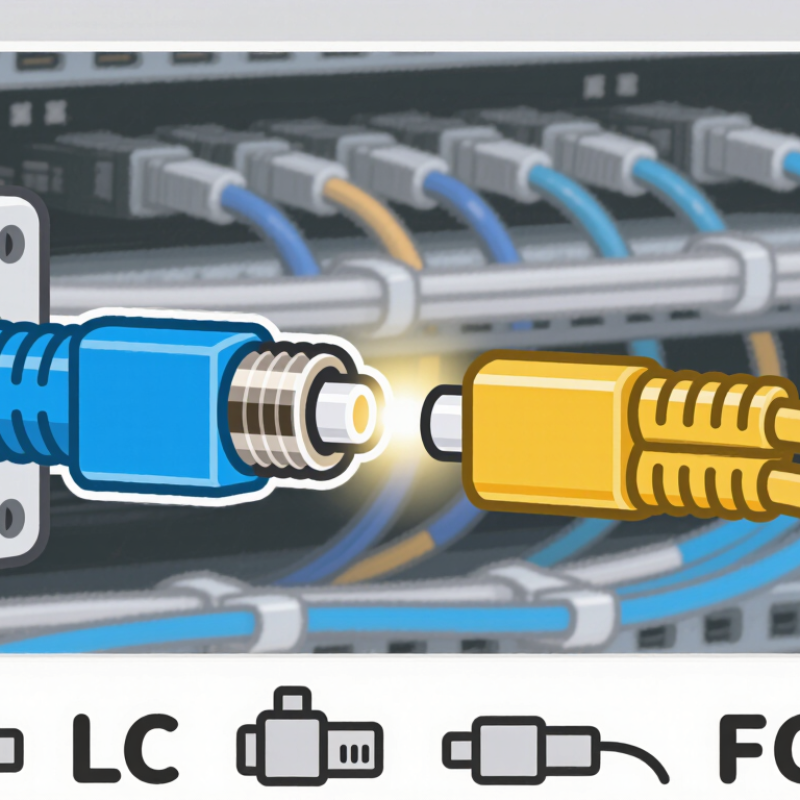
Optical Cable Adapter: Definition and Core Purpose
An optical cable adapter is a passive component that joins two fiber-optic connectors. Its core purpose is simple: keep both fiber ends precisely aligned. Inside, a small sleeve holds the connector ferrules in position. This alignment allows light to pass with minimal loss. It does not convert optical signals into electrical signals.
The adapter is useful in patch panels, wall outlets, testing equipment, and network cabinets. An installer can connect or disconnect cables without splicing fibers. That saves time during maintenance. It also supports different connector configurations, such as single-fiber and duplex connections. The International Telecommunication Union reported 5.4 billion internet users in 2023. This growth increases demand for stable, high-capacity fiber infrastructure. The OECD’s broadband statistics also show fiber representing about 42% of fixed broadband subscriptions across member economies in late 2023.
Performance depends on more than the adapter body. Dust, scratches, or a slightly mismatched connector can increase insertion loss and reflection. In field work, cleaning tools and inspection scopes are essential. A common mistake is treating every adapter as interchangeable. They may look similar, yet their alignment sleeves and connector geometry can differ. The connection can work, but not perfectly. IEC 61754 connector standards help define interface dimensions, while professional testing confirms actual optical performance. Reports often emphasize network scale, but small connection errors still deserve attention.
Main Types of Optical Cable Adapters
What Is an Optical Cable Adapter and How Does It Work?
An optical cable adapter, often called a coupler, joins two fiber connectors securely. Its internal sleeve aligns their ferrules with high precision. This keeps light loss low and protects the connection from movement. During installation, I check the connector ends under magnification. A tiny dust particle can weaken the signal surprisingly quickly.
Main Types of Optical Cable Adapters
SC adapters use a larger push-pull body and suit many fixed connections. LC adapters are smaller, so they fit dense patch panels and network equipment. ST adapters use a twist-lock design, which helps resist accidental disconnection. FC adapters use a threaded body and work well where vibration may occur.
Adapters can also be simplex or duplex. Simplex joins one fiber, while duplex joins two. Some designs connect similar connector types, while hybrid adapters join different types. Single-mode and multimode systems also require suitable alignment sleeves. Mixing them carelessly may create avoidable attenuation.
Tips: Clean both connector faces before mating them. Check the adapter sleeve for cracks or looseness. Do not force a connector into place. The correct key direction matters. In field work, I have seen technicians blame the cable when the adapter was the real fault. That assumption is easy to make, but testing with a visual fault locator or power meter gives stronger evidence. Connector labels can also be confusing, especially in crowded cabinets. A second inspection is worthwhile.
Key Components and Their Functions
What Is an Optical Cable Adapter and How Does It Work?
An optical cable adapter, also called a fiber coupler, joins two compatible fiber connectors. It does not amplify, convert, or generate the optical signal. Its main task is precise alignment. Inside the adapter, an alignment sleeve keeps the connector ferrules centered. Even a tiny offset can increase insertion loss and weaken the received signal.
The outer housing provides mechanical protection and keeps the connection stable. Its coupling mechanism may use clips, threaded parts, or a simple push-fit structure. These parts prevent accidental movement during installation or maintenance. Many adapters also include dust caps. Small detail, but important. Dust on an end face can create scattering, scratches, or unstable readings during testing.
Connector compatibility matters. The adapter must match the connector shape, polish type, and fiber mode. A single-mode connection needs stricter alignment than many multimode applications. In practical work, I inspect both end faces before connecting, then check loss with an optical power meter when the link is critical. The connection may feel secure while still performing poorly. That is an easy mistake to make. Cleaning tools, correct mating pressure, and gentle handling usually matter more than force. Adapters are passive components, yet their workmanship and installation directly affect network reliability.
What Is an Optical Cable Adapter and How Does It Work?
An optical cable adapter, also called a fiber optic coupler, joins two compatible optical connectors and keeps their ferrules precisely aligned so light can pass from one fiber to another with minimal loss.
Key Components and Their Functions
- Ferrule: A precision sleeve that holds the fiber core in a fixed position.
- Alignment sleeve: Centers two mating ferrules to maintain optical alignment.
- Adapter housing: Protects the alignment parts and provides the mechanical interface.
- Latch or mounting clip: Secures the connector and helps prevent accidental disconnection.
The chart shows the number of optical fibers supported by common adapter formats. Simplex adapters support one fiber, duplex adapters support two fibers, and multi-fiber MPO adapters commonly support 8, 12, or 24 fibers.
How an Optical Cable Adapter Connects Fiber Cables
An optical cable adapter is a passive component that joins two fiber connectors. It does not convert light or amplify signals. Instead, it aligns their ferrules with a precision sleeve. The sleeve keeps both fiber cores centered, often within a few micrometers. Spring pressure holds the polished ends together. Light then crosses a tiny interface between the cables. Simple in theory. Small errors matter.
Adapters may connect simplex or duplex cables, depending on the network design. The connector ends must also match correctly, such as UPC with UPC or APC with APC. Mixing polished surfaces can increase reflection and damage performance. The International Telecommunication Union reported 5.4 billion internet users in 2023. That growth increases pressure on stable fiber connections. TeleGeography’s 2024 bandwidth research also reported strong annual growth in international capacity demand. Every adapter therefore becomes a small but important link in a larger system.
Technicians inspect the ferrule, clean it, and check insertion loss before installation. Dust can create an air gap that resembles a serious alignment fault. Industry testing commonly treats about 0.2 to 0.5 dB as a typical connector-loss range, although results depend on connector quality and test conditions. IEC 61753 performance classes provide a structured way to evaluate connector behavior. Yet field conditions are less tidy than laboratory figures. A loose panel, a sharp cable bend, or one overlooked particle can weaken the link. That is where installation judgment still matters.
Choosing an Adapter for Different Fiber Networks
What Is an Optical Cable Adapter and How Does It Work?
An optical cable adapter, also called a fiber coupler, joins two fiber connectors. Its internal sleeve keeps their cores aligned with very little movement. This alignment allows light to pass through the connection with limited signal loss.
Choosing an adapter depends on the fiber network. Single-mode systems usually need adapters designed for narrow-core fibers and long-distance transmission. Multimode networks require compatible adapters for wider-core fibers. Check the fiber type, connector shape, and polishing style before installation. Common connector forms include LC, SC, and ST. APC and UPC connectors should not be mixed. Their end faces use different angles and may create poor contact. Duplex networks also need the correct adapter orientation for both transmit and receive paths. A small mismatch can cause unstable links.
Tips: Read the equipment specifications, not only the connector label. Inspect the adapter sleeve for dust or scratches. Use a cleaning tool before connecting fibers. Measure insertion loss when the link is important. A visual check helps, but it is not proof. In field work, I have seen a connector fit physically while still producing weak signals. That mistake is easy to overlook. Temperature, vibration, and cable tension also matter in outdoor or crowded cabinets. Choose a rugged housing when conditions are harsh. When uncertain, verify the fiber standard and test the completed link.
What Is an Optical Cable Adapter and How Does It Work? - Choosing an Adapter for Different Fiber Networks
| Adapter Type | Connector Interface | Typical Fiber Compatibility | Common Network Use | Alignment Mechanism | Typical Insertion Loss | Key Selection Considerations |
|---|---|---|---|---|---|---|
| SC Simplex Adapter | SC to SC, one fiber | Single-mode or multimode; simplex cable | Patch panels, fiber distribution frames, access networks, and building backbones | Ceramic sleeve for precise ferrule alignment | Usually ≤ 0.20 dB | Choose the correct sleeve material and polishing interface. A simplex adapter connects one optical channel. |
| SC Duplex Adapter | Two SC interfaces in one housing | Single-mode or multimode; duplex cable | Duplex links where transmit and receive fibers are placed side by side | Two independent ceramic alignment sleeves | Usually ≤ 0.20 dB per channel | Check key orientation, mounting footprint, and whether the adapter includes a flange or retaining clip. |
| LC Duplex Adapter | Two LC interfaces in a compact housing | Single-mode or multimode; duplex cable | High-density data-center panels, server connectivity, and enterprise distribution frames | Two small ceramic alignment sleeves | Usually ≤ 0.20 dB per channel | Useful where rack space is limited. Confirm the latch direction and duplex polarity before installation. |
| LC Simplex Adapter | LC to LC, one fiber | Single-mode or multimode; simplex cable | Single-channel equipment links, test connections, and compact fiber panels | Ceramic sleeve in a small-form-factor body | Usually ≤ 0.20 dB | Best for single-fiber applications requiring high port density. Verify the adapter’s panel cutout dimensions. |
| ST Adapter | ST to ST, bayonet coupling | Primarily multimode; also available for single-mode systems | Legacy campus networks, industrial links, and older communications installations | Ceramic or bronze alignment sleeve, depending on construction | Typically ≤ 0.30 dB | Requires rotational bayonet locking. Use only when the installed equipment and patch cords use ST connectors. |
| FC Adapter | FC to FC, threaded coupling | Single-mode and precision multimode systems | Telecommunications, measurement equipment, and vibration-sensitive installations | Threaded body with ceramic alignment sleeve | Usually ≤ 0.20 dB | Provides secure coupling in environments subject to vibration. Confirm key orientation and polishing type. |
| SC-to-LC Hybrid Adapter | SC on one side and LC on the other | Single-mode or multimode, subject to the adapter specification | Upgrading legacy SC panels to compact LC equipment without replacing the entire panel | Different alignment sleeves for each connector family | Often ≤ 0.30 dB | Check that both sides support the same fiber mode and polishing geometry. Hybrid adapters do not convert optical mode. |
| FC-to-SC Hybrid Adapter | FC on one side and SC on the other | Single-mode or multimode, subject to the adapter specification | Interconnecting threaded FC equipment with push-pull SC patching systems | Connector-specific alignment sleeves in a single housing | Often ≤ 0.30 dB | Useful for mixed connector environments. Confirm the required key orientation and panel-mount style. |
| Multi-Fiber Push-On Adapter | Multi-fiber push-on interface, commonly 8, 12, or 24 fibers | Parallel single-mode or multimode fiber arrays | Data-center trunks, parallel optics, high-density backbone cabling, and modular cassettes | Guide pins and precision guide holes align multiple ferrules | Commonly ≤ 0.35 dB per connection | Verify fiber count, male/female guide-pin configuration, key orientation, polarity method, and cassette compatibility. |
| Shuttered Adapter | Connector-specific interface with an internal dust shutter | Available for several connector families and both fiber modes | High-density panels, data centers, and locations where unused ports need additional dust protection | Standard connector alignment sleeve plus spring-loaded shutter | Comparable to the underlying connector type | Improves protection against dust when no plug is inserted. The shutter does not replace cleaning and inspection procedures. |